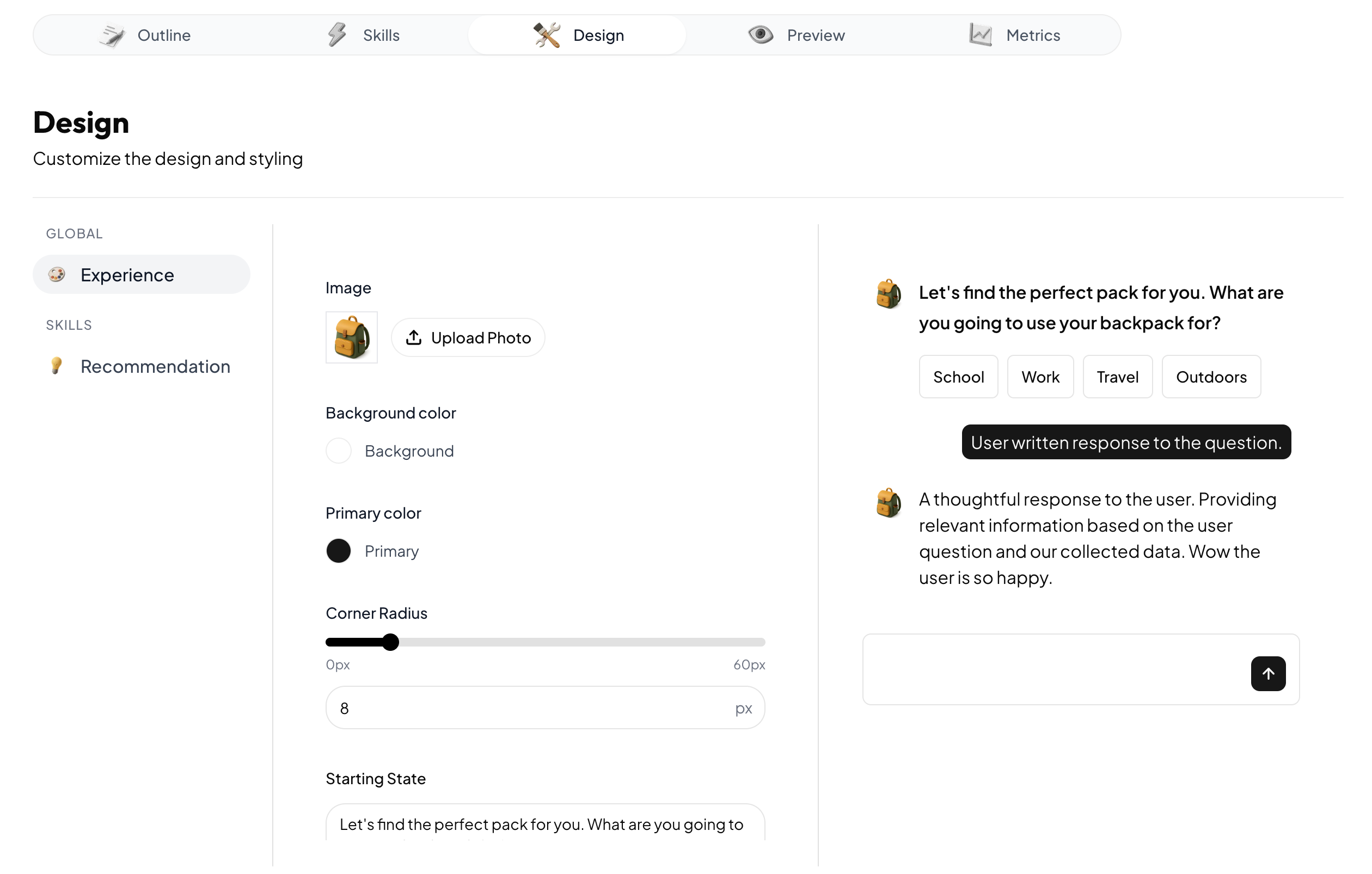
Skip to main contentYou can choose how your Anagram experience looks in the Design tab.
Global settings
Global settings apply across all messages and skills. For example, the primary color will apply both to the backgrounds of user messages, as well as buttons in cards rendered by the Recommend Product skill. Note that the background image can be an SVG, PNG, or JPG.
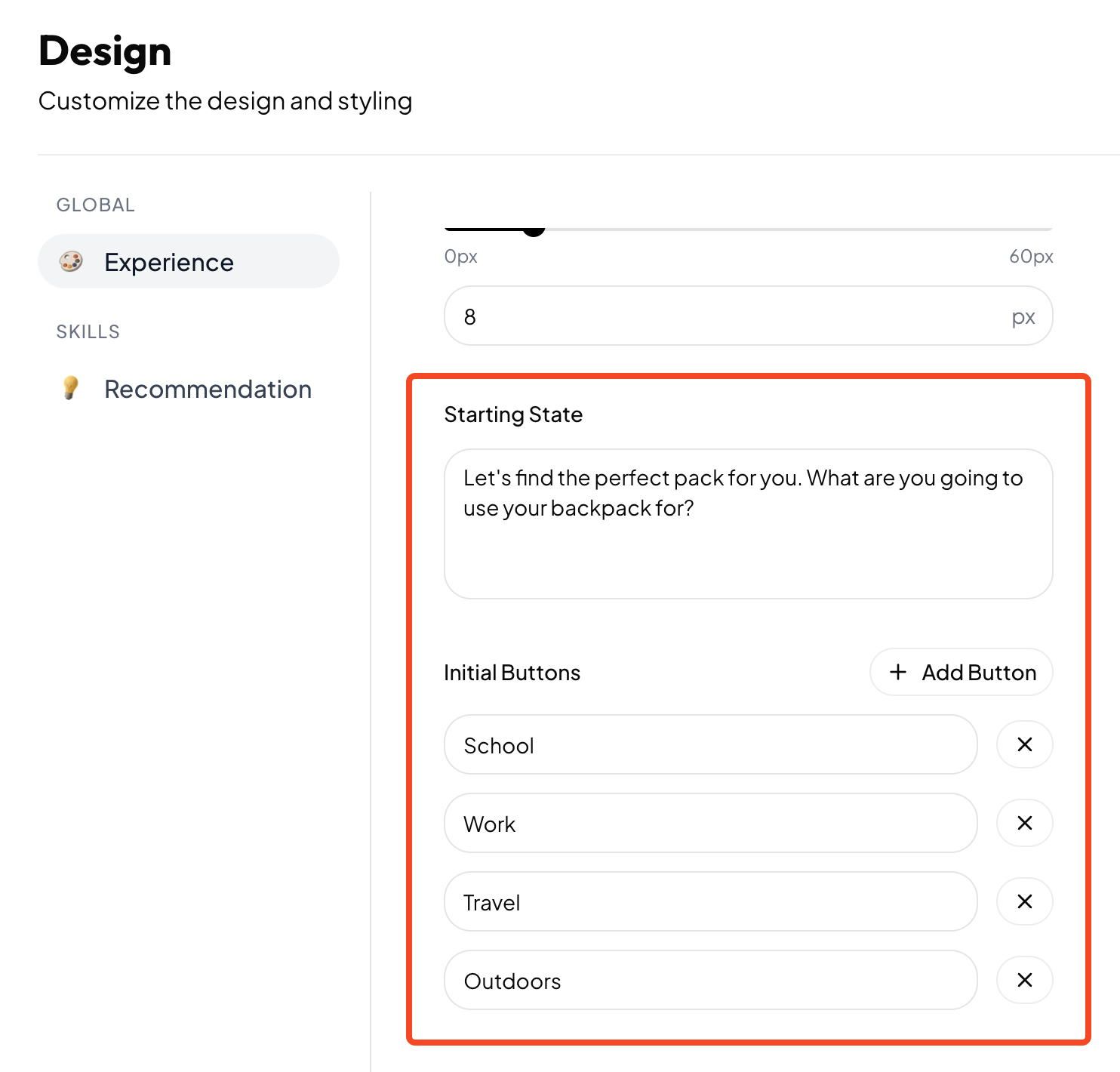
Starting state
The starting state defines how the experience appears when it initially appears on the page. This means that the first message displayed by the experience is set on the Design tab, not the Outline tab.
Skill settings
Skills that have design configuration options will appear on the Design tab when the skill is enabled. For a skill to appear in the Design tab, first enable it in the Skills tab.
Design preview
You can see a preview of your design configuration on the Design tab. This is a visual representation of how the experience will appear, but it’s not interactive and isn’t a preview of the behavior of the experience. To see a functioning preview that behaves the same way the published experience will behave, use the Preview tab.