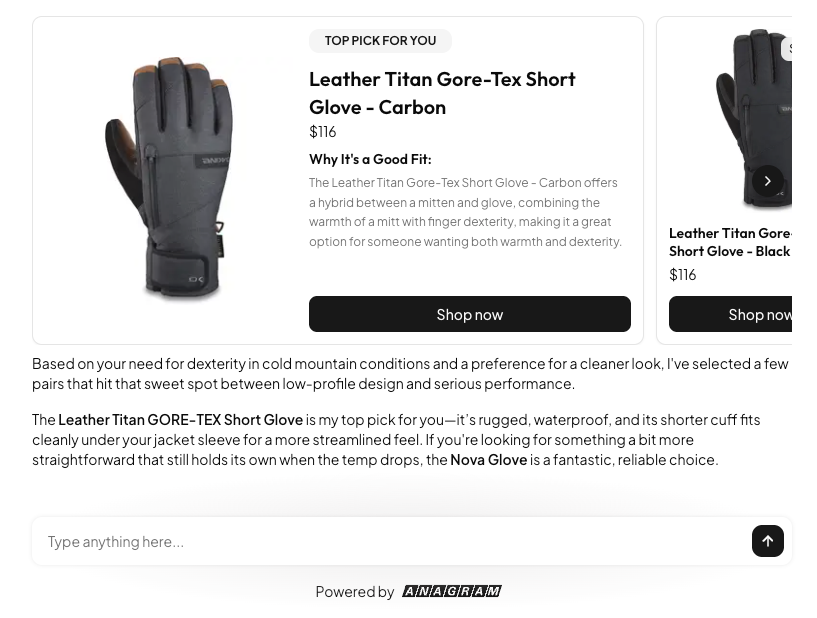
Before you start: Set up your product catalog
Before enabling this skill, Anagram needs access to a product catalog. You set this up in the Data Hub. There are two ways to set up a product catalog:- Connect an ecommerce integration (e.g. Shopify)
- Upload a CSV of your products
One source per project. A project can use either an ecommerce integration or a CSV catalog, but not both. The Data Hub and the Integrations page enforce this for you: if Shopify is connected, the CSV upload is hidden; if a CSV catalog exists, the Shopify connect button is disabled with a tooltip explaining why. To switch sources, remove the existing one first.
Option 1: Connect an ecommerce integration
If you’re using a platform like Shopify, you can connect to it directly with an integration. Anagram will automatically pull in your products and keep them up to date.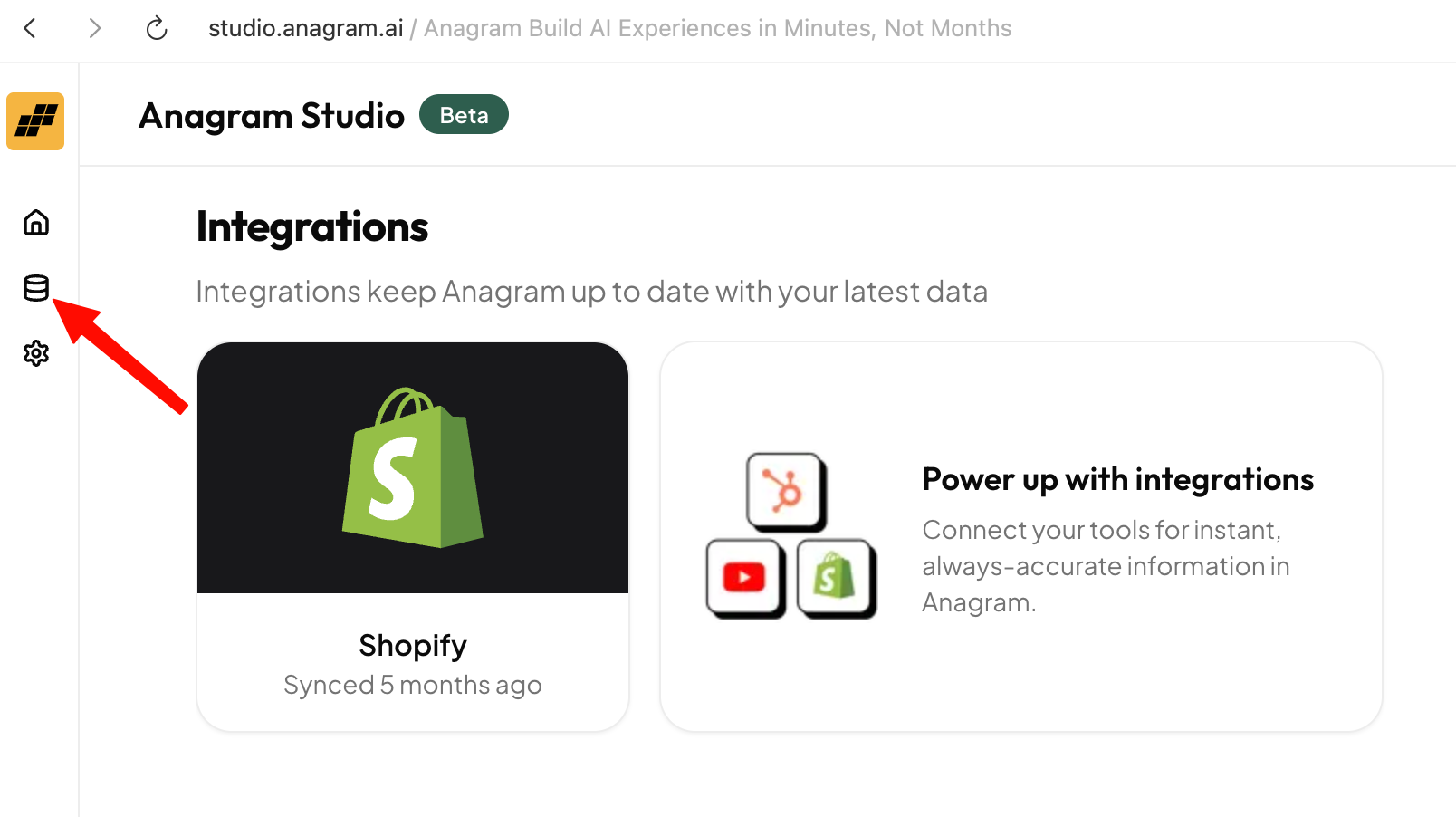
Option 2: Upload a product CSV
If your products aren’t in a platform that Anagram currently integrates with — for example a homegrown system, a marketplace we don’t integrate with, or a native mobile app where item links are deep links — you can upload a CSV of your products in the Data Hub. Download a sample CSV to see the expected format. Anagram recognizes bothsnake_case and camelCase headers (and a few common variants like image, link, sku), so most exports from existing systems will pre-fill the column mapping automatically. The sample CSV uses snake_case.
Required columns
| Column | Type | Notes |
|---|---|---|
title | string | Product title. |
price | number | Numeric price. Decimal point only (no currency symbols or commas). |
image_url | URL | Primary product image. |
item_page_url | URL | Product page link. Any URL form is accepted, including deep links. |
Recommended columns
| Column | Type | Notes |
|---|---|---|
id | string | Stable identifier in your source system. If omitted, Anagram generates one. |
description | string | Long product description. HTML is stripped. |
compare_at_price | number | Original / “compare at” price. |
categories | comma-separated | e.g. Apparel, Tees. Used as facets in the recommendation runtime. |
tags | comma-separated | e.g. sale, summer, new. Used as facets in the recommendation runtime. |
source_item_id | string | Stable identity key for re-imports. If omitted, falls back to id. See Re-import below. |
brand, material). Custom attributes can be used as filter rules in the Recommend Products skill.
Format conventions
- Numbers:
priceandcompare_at_priceare parsed withparseFloat. Rows where neither parses are skipped (and counted in the import-complete notification). - Lists:
categoriesandtagsare split on commas and trimmed. - URLs:
image_urlanditem_page_urlaccept any URL form. Anagram does not enforcehttps://, so iOS deep links and other custom schemes work. - Currency / locale: prices are stored as raw numbers. Localized formatting happens in the recommendation runtime.
Re-import
The Data Hub catalog card supports two re-import flows:- Re-import (append) — items in the new file are added or updated; items not in the new file are left alone. This is the safe default.
- Replace catalog — items in the new file are added or updated, and items present before but missing from the new file are removed. The dialog shows the exact removal count before you confirm.
(source, sourceItemId). To make re-imports update existing items in place instead of creating new ones, provide a stable sourceItemId (or id) value across re-imports.
Delete
Use Delete catalog on the catalog card to wipe every CSV-imported item. The action requires confirmation. Once deleted, skills that depend on a product catalog will fail their prerequisite checks until you import again or connect an ecommerce integration.Background imports & notifications
CSV imports run in the background. After you confirm, you’ll see “Import started — we’ll notify you when it’s done.” You can close the dialog or navigate away; you’ll receive an in-app notification with the result (rows imported, rows skipped). If the import fails, the notification explains why and links you back to the Data Hub.Enable the recommend products skill
Once your catalog is set up:- Open the Experience Editor
- Go to the Skills tab
- Enable the Recommend Products skill
Guide the agent’s recommendations
Filter rules
You can add filter rules to limit which products Anagram is allowed to recommend. For Shopify catalogs you can filter on collections, tags, or metafields; for CSV catalogs you can filter on categories, tags, or any custom attribute column. This is useful if you want Anagram to only recommend products from certain categories.Recommendation guidelines
You can also add recommendation guidelines — plain-English instructions that help shape how the agent behaves. Use guidelines to emphasize certain types of products for specific preferences or help the agent understand nuances of your product catalog. You can think of this like training an in-store sales associate on how to recommend your products.How it comes together
When a user asks for help choosing a product, Anagram:- Understands what the user is looking for
- Searches for relevant products that match your filters
- Follows your guidelines
- Recommends the best-fit products from your catalog
Add to cart is only available for Shopify catalogs. For CSV catalogs (including deep-link links into a native app), the recommendation card links out to whatever URL you provided in itemPageUrl.