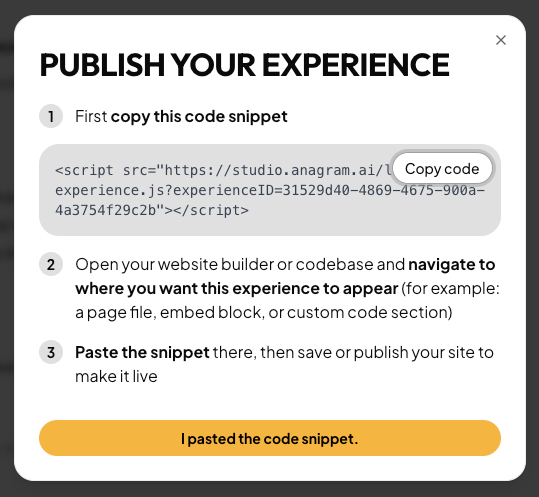
Publish your experience and embed it on your site in just a few clicks.
While you’re editing your experience, all changes are saved to a draft. To publish your experience for the first time, or to push edits to the live experience on your site, click the Publish button at the top of the page.Clicking the Publish button will open a popover that allows you to copy the code snippet you’ll paste onto your site where you want the experience to appear. Click “Get embed code” to view the code snippet.Clicking “Get embed code” opens a dialog that gives you a small code snippet to paste on your site. Click “Copy code” and open the platform you use to build your website (Shopify, Webflow, etc.) This HTML can be pasted into a custom code block. Platforms have different terms for this, but look for something like “custom HTML” or “embedded code.” Wherever you paste this code, Anagram will render an iframe with your experience in it. Once you save and publish the changes on your site platform, your users will be able to see the Anagram experience.